4–6 Lines: Sales Email Signature With One CTA That Converts
, 12 min read
4–6 Lines: Sales Email Signature With One CTA That Converts
The safest, highest-converting sales email signature is short and text-first: your name, your role, your company, and one purposeful call to action, either a calendar link or your site. Skip the logo, skip the social icons, and skip the second and third CTA. Add a phone number or headshot only once the relationship is warm enough that the extra detail earns its space.
TL;DR:
- Use a short, text-first signature with your name, role, company, and a single call to action or verification link to maximize trust and reply rates.
- Avoid including multiple CTAs, images, or social icons, especially in cold outreach, to prevent distracting the prospect and reducing deliverability.
- Test signatures across different email clients and dark mode to ensure consistent rendering and avoid broken links or images.
- Match the signature content to your role and sales funnel stage, keeping it minimal for cold outreach and slightly more detailed for warm follow-ups.
- Enforce uniformity across the sales team with centralized templates, conduct regular audits, and adapt signature elements based on response metrics.
Table of Contents
- Why an Email Signature Matters for Sales Outreach
- What Belongs in a Sales Signature: A Prioritized Checklist
- Copy-Paste Templates for Every Sales Role
- The Mistakes That Quietly Kill Replies
- Design, Dark Mode, and Deliverability Checks
- Matching the Signature to the Role
- Rolling Out a Standard Signature Across a Sales Team
- Where This Guidance Comes From
- Why Minimalism Wins More Often Than Sales Teams Expect
- Get Sales-Ready Templates Without Building From Scratch
- Sources
- FAQ
Why an Email Signature Matters for Sales Outreach
A signature works like a digital business card. It gives a prospect the fastest possible way to confirm you are a real person at a real company, which matters more in a cold email than almost anywhere else in the message. That verification path, usually a company website or LinkedIn profile, removes the hesitation that keeps a stranger from replying.
The effect flips depending on where you are in the funnel. On a first cold touch, a heavy signature can look like a sales pitch stapled to another sales pitch. On a warm follow-up or a scheduling email, the same detail becomes reassuring rather than pushy.
- Signatures reduce perceived risk by giving prospects a way to check you out before replying.
- A single verification link (company site or LinkedIn) does more trust-building work than five.
- Robert Half’s guidance frames the signature as a conversion tool, not a directory of every way to reach you.
- On early cold sends, an oversized signature can outweigh the message itself and hurt reply rates.
What Belongs in a Sales Signature: A Prioritized Checklist
Not every field deserves equal billing. Treat your signature like a short list of assets ranked by how much they actually move a reply or a booking.
- Full name. No nicknames, no honorifics unless your industry expects them.
- Role and company. One line, plain text, tells the reader exactly who they are dealing with.
- One verification link. Company site or LinkedIn, never both.
- One contact method or CTA. A calendar link when booking is the goal, a phone number when a call is more natural for your role.
- Optional extras, added sparingly. Logo or headshot only if brand consistency requires it; phone number only when your role is client-facing enough to justify it.
Prospeo’s sales signature guide backs this same order: name, title, company, one phone number, one CTA, then a dark-mode and deliverability check before you ship it to your whole team.
Keep the block itself tight: four to six lines, left-aligned, a font size of 14px or larger, and a total width between 300 and 450 pixels so it doesn’t wrap awkwardly on mobile.
Pro Tip: Write your signature in plain text first, then add formatting. If it still makes sense as five lines of raw text with no styling, it will survive almost any email client’s rendering quirks.
Copy-Paste Templates for Every Sales Role
Different funnel stages call for different signature weight. Here are ready-to-use blocks you can adapt directly, organized from leanest to most detailed.
-
Cold outreach, SDR: Alex Rivera SDR, Acme Robotics acmerobotics.com
-
Cold outreach, minimal (no title needed): Alex Rivera, Acme Robotics acmerobotics.com
-
Warm follow-up, AE, calendar CTA: Jordan Lee Account Executive, Acme Robotics Grab 15 minutes: [calendly.com/jordanlee]
-
Warm follow-up, AE, phone included: Jordan Lee Account Executive, Acme Robotics (555) 019-2231 | acmerobotics.com
-
Manager or team lead: Priya Shah Sales Manager, Acme Robotics Direct: (555) 019-4478 acmerobotics.com
-
Founder or executive: Marcus Webb Founder, Acme Robotics, robotics for warehouse teams under 50 people marcuswebb@acmerobotics.com | Book a call: [calendly.com/marcuswebb]
The edits that matter most are small. Swap the company site for LinkedIn when your company site is thin or generic. Add a phone number only for roles where a prospect might reasonably want to call, like account management or renewals. Vary your CTA phrasing (“Grab 15 minutes” versus “See a quick demo”) to match the ask in the email body, an approach Woodpecker’s template guide recommends for role-specific outreach.
For implementation, stick with plain text on the first cold touch and save HTML formatting for warm follow-ups, where a little polish reads as attentiveness rather than automation.
The Mistakes That Quietly Kill Replies
Most signature problems come from adding, not subtracting. Every extra element competes with the one action you actually want the prospect to take.
- Multiple CTAs (a calendar link, a phone number, and a “follow us” row) split attention and often mean the reader takes none of them.
- Image-only signatures render as a blank box when images are blocked, which is the default in many inboxes.
- Tracking pixels embedded in signature images can hurt deliverability the same way tracking pixels in the body do.
- Broken links, mismatched sender names, and bloated HTML file size all raise the odds a message lands in spam or looks careless.
ScaledMail’s research found that a text-first approach with limited links improves inbox placement for cold outreach, while tracking pixels and heavy HTML both raise spam scores. If your signature has more than one clickable element besides your one CTA, cut it.
Design, Dark Mode, and Deliverability Checks
Rendering failures are invisible to you and glaring to the recipient. A signature that looks perfect in your own Gmail tab can turn into a wall of broken code in Outlook or a washed-out logo in dark mode.
- Default to text. If you must use an image (a logo, a headshot), keep the file under roughly 50 KB and add alt text so it still communicates something when blocked.
- Test the signature in at least four places: Gmail web, Gmail iOS with dark mode on, Outlook desktop, and Apple Mail.
- Click every link in the signature itself, not just in the email body, to confirm nothing points to a dead page.
- Skip tracking pixels in the signature. They add no real benefit at the signature level and introduce deliverability risk.
- Keep the underlying HTML simple. Nested tables and nested divs are the most common cause of a signature collapsing in Outlook.
- If you send from a shared domain as a team, confirm SPF, DKIM, and DMARC are properly configured before rolling signatures out broadly.
Pro Tip: Send yourself a test email and open it on your phone with dark mode enabled before you push a new signature to the whole team. This one check catches most rendering disasters before a prospect ever sees them.
Matching the Signature to the Role
The right signature depends on where you sit in the sales process, not just personal preference.
- SDRs should sign off with a first name, keep the block minimal, and include zero or one link, since the goal is a reply, not a click.
- AEs benefit from one calendar link or a direct phone number, matched to whichever channel actually fits the deal stage.
- Managers and VPs can add a logo or a direct line, but the structure should still mirror what the rest of the team uses.
- Founders get more mileage from a one-line company descriptor (“robotics for warehouse teams under 50 people”) than from any visual flourish, since it does the credibility work a bigger company gets from its brand alone.
Rolling Out a Standard Signature Across a Sales Team
A signature standard only works if it is enforced the same way for everyone, and tested before it ships.
- Centralize the template and the required fields in one place, whether that’s a shared doc or a signature management tool, so reps aren’t improvising their own versions.
- Run pre-deployment QA on every link, every phone number, and calendar availability, plus a dark-mode check on at least one mobile device.
- Test one variable at a time. Run a CTA-wording test (“Book a call” versus “See a quick demo”), then separately test calendar link versus website link as the CTA.
- Track reply rate, booking rate, and bounce or deliverability metrics for each version before deciding which one becomes the default.
Signkit’s guidance on team rollouts recommends quarterly audits to catch broken links and drifting branding before they spread across dozens of reps.
Where This Guidance Comes From
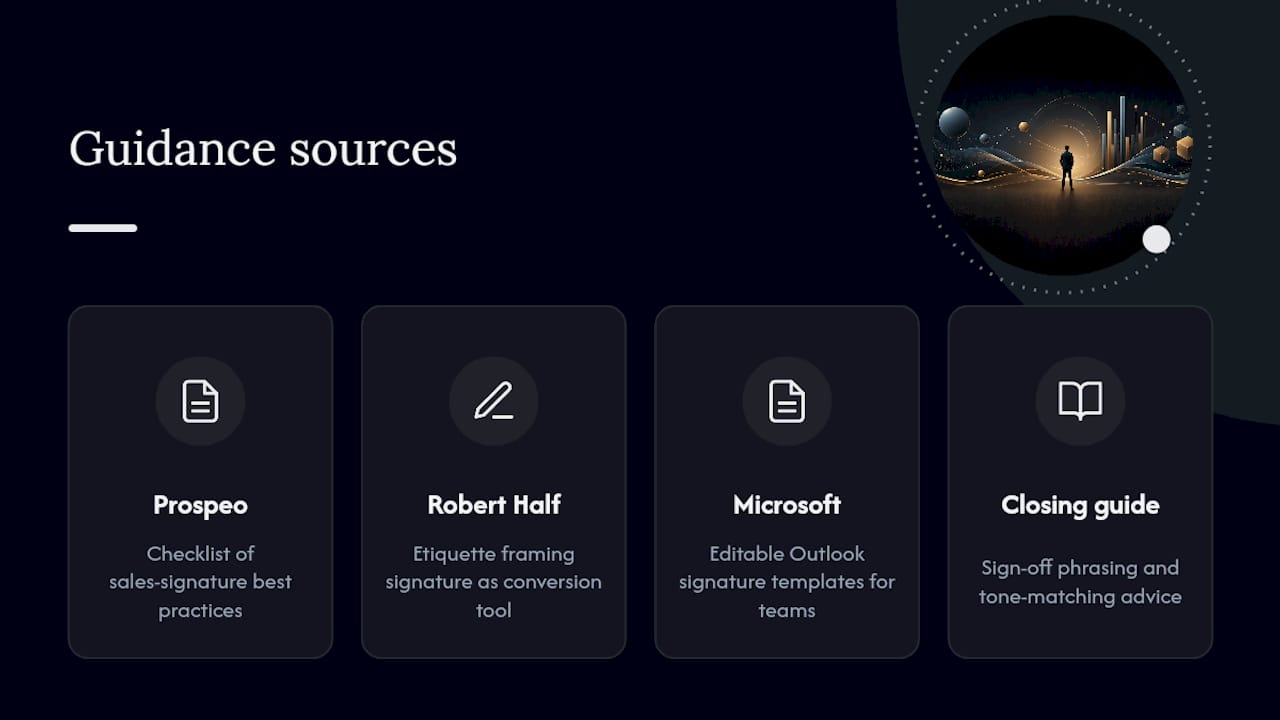
This framework draws on sales-specific signature research, including Prospeo’s checklist for sales signature best practices, Robert Half’s etiquette guidance on treating the signature as a conversion tool, and Microsoft’s own library of editable signature templates for teams that need a fast starting point in Outlook. For sign-off phrasing specifically, our guide on closing a sale in English covers tone-matching in more depth.
Why Minimalism Wins More Often Than Sales Teams Expect
Most advice on sales email signatures still treats them as a design problem: pick a template, add a logo, done. That framing misses what a signature is actually for. It’s a small, repeated trust signal that either helps a stranger decide you’re worth replying to or gives them one more reason to hesitate.
The overrated move is adding more. More social icons, more contact methods, more visual branding. Every one of those elements assumes the recipient wants to explore your company before they’ve even decided to respond to your first message, which gets the sequence backwards. Trust comes first, curiosity comes second.
What the evidence actually supports is restraint tied to funnel stage. A cold SDR message earns almost nothing from a phone number nobody will call. A warm AE conversation earns real value from a calendar link because the prospect has already decided you’re worth 15 minutes. Match the signature’s weight to what the recipient has actually agreed to, not to what looks impressive in a template gallery. Get that sequencing right, and the signature stops being decoration and starts doing its job.
— Samuel
Get Sales-Ready Templates Without Building From Scratch
This platform offers a faster path to a working signature than a design tool or a generic template gallery: role-specific email content built by people who write sales outreach for a living, not graphic templates borrowed from a marketing team. Instead of guessing at CTA phrasing or adapting a one-size template, pair your new signature with outreach copy designed to work alongside it.
Start with the 12 cold email templates, which include the kind of tight, text-first structure this guide recommends, so your subject line, body, and signature all match in tone and length. If you’re deciding between outreach channels before you even finalize the message, our comparison of cold calling versus cold emailing can help you pick the right one for a given account. Open the cold email templates now and drop your new signature straight into a message built to earn the reply.
Sources
- Sales Email Signature: Guide to Getting It Right (Prospeo)
- Email signature etiquette: the good, the bad, and the unnecessary (Robert Half)
- How to end an email (ScaledMail)
- Professional email signature templates (Microsoft Word)
FAQ
What is a good professional email signature?
A good professional signature includes your full name, role, company, one verification link, and a single contact method or call to action, kept to four to six lines in plain text or simple HTML.
How do I end a sales email?
End with a short, purposeful sign-off, then a minimal signature block. Rotate your closing line to match the message’s tone rather than reusing the same phrase every time, since varied sign-offs read as more personal.
What should a CEO’s signature look like in an email?
A founder or CEO signature works best with name, title, a one-line company descriptor, and a single link, since that short descriptor does more credibility work than a logo or a long list of accolades.
What makes a sales email effective?
An effective sales email pairs a clear, relevant message with a signature that reinforces trust rather than distracting from it, meaning one CTA, one verification link, and no unnecessary visual clutter.
Should I include a phone number in my sales signature?
Include a phone number only when your role is client-facing enough that a prospect might reasonably want to call, such as account management; SDRs on early cold outreach usually don’t need one.