300,000 Messages a Month? When B2B Senders Need a Dedicated IP
, 10 min read

A dedicated IP for email makes sense for senders with steady high volume or strict compliance needs; for most lower-volume senders, a high-quality shared IP is safer and cheaper. The trade-off is control versus responsibility: you own the reputation entirely, good or bad. Before you buy one, check two numbers: your monthly send volume and your current domain reputation.
TL;DR:
- Dedicated IPs are best for high-volume senders with stable, predictable email volumes above 300,000 messages monthly and clear ownership of deliverability management.
- Proper warmup, continuous monitoring of reputation metrics, and a focus on domain hygiene are essential to maintain a good sender reputation on a dedicated IP.
- Switching to a dedicated IP is unnecessary for low or sporadic volume senders, who benefit more from shared IP pools with strong, reputable ESPs.
- Poor list hygiene, inconsistent sending patterns, or neglecting reputation monitoring can quickly damage an IP’s standing, even after setup.
- Ongoing reputation management involves regular review of complaint rates, bounce rates, blocklist status, and authentication records to prevent deliverability issues.
Table of Contents
- What Is a Dedicated IP for Email, and How Is It Different From Shared?
- Who Needs a Dedicated IP (Volume and Compliance Thresholds)?
- The Real Benefits and Drawbacks of a Dedicated IP
- How Do You Set Up and Warm Up a Dedicated IP?
- How Do You Monitor IP and Domain Reputation?
- Best Practices Checklist for Maintaining a Dedicated IP
- What Do the Experts Actually Say About Dedicated IPs?
- When Should You Actually Switch to a Dedicated IP?
- Where to Go Deeper on Dedicated IP Setup and Monitoring
- Sources
- FAQ
What Is a Dedicated IP for Email, and How Is It Different From Shared?
A dedicated IP is an IP address used exclusively by your organization to send email, as opposed to a shared IP, which multiple senders use through the same email service provider. On a shared IP, your deliverability is influenced by the collective behavior of everyone else using it. On a dedicated IP, your reputation depends solely on your own sending practices.
That isolation sounds simple, but it comes with a wrinkle most marketers miss: mailbox providers don’t keep one universal score for an IP. Gmail, Microsoft, and Yahoo each build their own reputation for that IP, based on their own signals and their own users’ behavior. A dedicated IP might look clean to Yahoo and shaky to Gmail at the same time.
IP reputation and domain reputation are separate but linked systems. A clean IP tied to a poorly authenticated or low-trust domain still lands in spam, because receivers weigh both signals together.

Who Needs a Dedicated IP (Volume and Compliance Thresholds)?
Volume is the first qualifier, but it’s not the only one. Providers generally look for a combination of scale and predictability before a dedicated IP makes sense.
- Consistent monthly volume, with providers like Postmark setting roughly 300,000 messages a month as a practical qualifier for a dedicated IP.
- A predictable sending cadence rather than sporadic bursts, since erratic patterns are exactly what damages IP standing.
- A clear split between transactional and marketing mail, since mixing the two on one IP muddies reputation signals.
- Contractual or compliance requirements, such as a client or partner requiring a whitelisted, dedicated sending source.
If your sends are inconsistent, your list hygiene is questionable, or you don’t have anyone assigned to watch deliverability metrics, hold off. A dedicated IP without monitoring resources behind it tends to underperform a well-managed shared IP pool.
The Real Benefits and Drawbacks of a Dedicated IP
The upside is straightforward: isolation from bad neighbors, direct control over sending rate, and faster root-cause troubleshooting when something goes wrong. On a shared pool, a spam complaint problem might belong to another sender entirely, and you have no way to isolate it. On a dedicated IP, every signal is yours to read and act on.
The downside is that responsibility shifts entirely to you. That’s an advantage if your processes are solid, and a liability if they’re not.
- Cost: dedicated IPs carry a monthly fee on top of your existing ESP plan.
- Sustained volume requirement: an IP that goes quiet loses its reputation and needs re-warming.
- List hygiene risk: a purchased list or a sudden spike hits harder on a dedicated IP than on a shared one, because there’s no pool to dilute the damage.
Pro Tip: A dedicated IP won’t rescue a weak domain. If your domain reputation is already shaky, fix authentication and content issues first. Otherwise you’re just moving the same problem to a more expensive address, and choosing between an ISP, residential, or mobile IP for your infrastructure matters just as much as the dedicated status itself.
How Do You Set Up and Warm Up a Dedicated IP?
Setup and warmup are where most dedicated IP projects succeed or fail. Skip either step and you’ll spend months undoing the damage.
- Request the IP from your ESP and confirm it’s assigned solely to your account.
- Configure DNS records, including your A record, MX record, and SPF entry that names the new IP as an authorized sender.
- Set a custom return path tied to your sending domain, not a generic ESP subdomain.
- Add a DKIM record so receivers can verify message integrity and tie it to your domain’s reputation.
- Confirm reverse DNS (rDNS) resolves correctly. Mailbox providers check this to confirm the IP isn’t disguising its origin.
- Choose managed or DIY warmup. AWS SES recommends provider managed warmup because it throttles volume automatically per receiver rather than guessing at a single universal schedule.
- Follow an incremental send schedule. HubSpot documents a warmup period of about 40 days for marketing IPs before traffic fully shifts over, while other providers work in multi-week windows depending on volume targets.
- Route overflow to a shared pool during warmup instead of forcing everything through the new IP too soon.
Don’t trust a vendor’s claim that an IP arrives “pre-warmed.” Receivers reset trust the moment sending stops for an extended period, and many providers require a full re-warmup after weeks of inactivity, treating the IP as new again.
How Do You Monitor IP and Domain Reputation?
Monitoring isn’t optional once you’re on a dedicated IP. You’re the only one watching, so the tools you check and the cadence you check them on determine how fast you catch a problem.
Start with Google Postmaster Tools for Gmail-specific reputation and spam-rate data, SenderScore for a broader reputation score with mailbox-provider breakdowns, and Talos for Cisco’s sender reputation scale, which rates IPs as Good, Neutral, or Poor and flags blocklist appearances. Layer in your ESP’s own deliverability dashboard and any feedback loops your provider offers.
Track these metrics weekly at minimum:
- Complaint rate by provider, not just an overall average.
- Bounce rate, split between hard and soft bounces.
- Inbox placement rate broken out by Gmail, Outlook, and Yahoo separately.
- Blocklist status across major DNSBLs.
A sudden spike in complaints usually indicates a list hygiene problem or a content issue triggering spam filters. It’s important to pause the affected segment, check blocklists promptly, and audit recent campaign content and links before resuming sending.
Best Practices Checklist for Maintaining a Dedicated IP
Reputation management doesn’t stop once warmup ends. It’s an ongoing discipline that requires the same attention week over week.
- Monitor complaint and bounce rates daily, and segment your list by engagement so unresponsive contacts don’t drag down the whole IP.
- Keep sending cadence consistent. Stable patterns and clean lists are what protect an IP’s standing over time, according to deliverability guidance from Postmark.
- Run blocklist checks monthly and audit your SPF, DKIM, and DMARC records quarterly to confirm nothing has drifted.
- Review campaign content and landing pages regularly for anything that could trigger spam filters or safe-browsing warnings.
- Assign one person or team clear ownership of deliverability, with a documented escalation path when metrics slip.
Pro Tip: Ramp list growth conservatively. Adding thousands of new contacts in one week looks identical to a spike from a compromised list, and receivers will treat it that way even if your intentions are clean.
What Do the Experts Actually Say About Dedicated IPs?
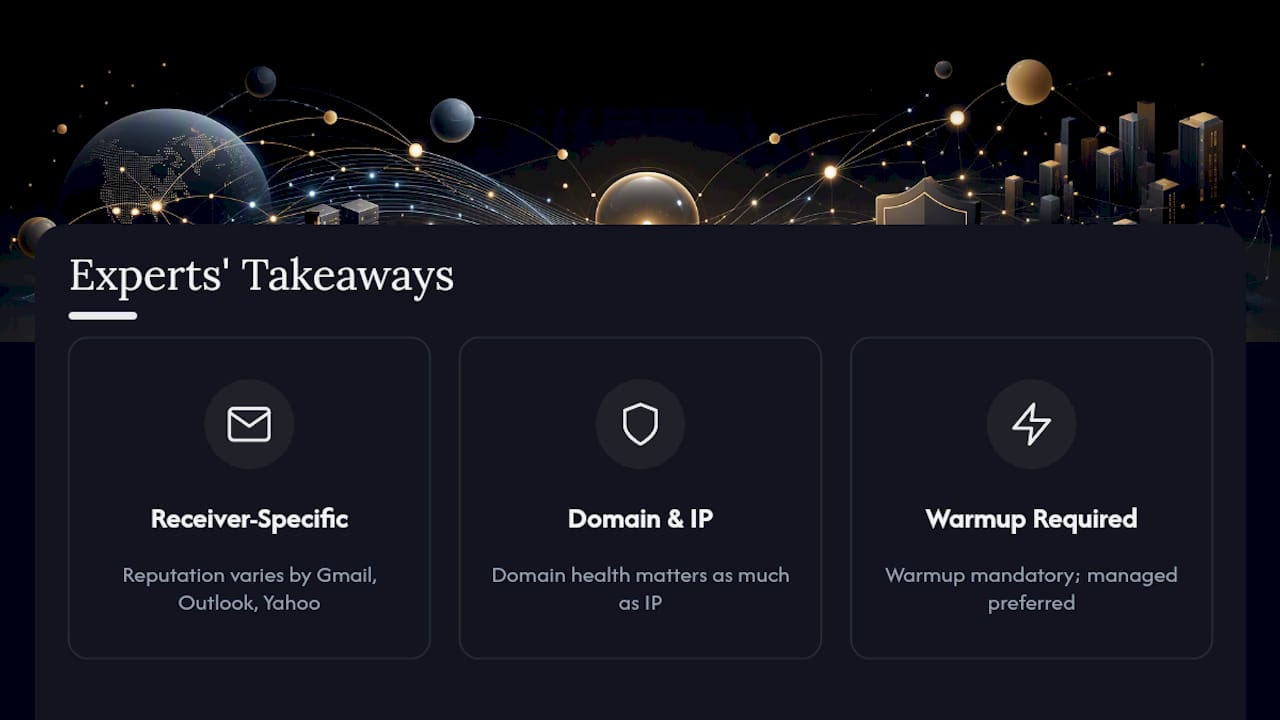
The evidence across major providers agrees on three points: reputation is receiver-specific, domain health matters as much as IP health, and warmup is not optional. Postmark’s own product guidance leans toward managed warmup precisely because a single DIY schedule rarely accounts for how differently Gmail, Outlook, and Yahoo throttle new senders.
The most common pitfalls we see among B2B senders: buying a dedicated IP before volume justifies it, skipping warmup because a vendor claimed the IP was “pre-warmed,” and treating SPF or DKIM as optional because “the ESP handles it.” None of those hold up once volume climbs. We have seen enough outbound programs stall on deliverability to know the fix is rarely the IP itself. It’s almost always the domain, the list, or the absence of anyone actually watching the metrics.
When Should You Actually Switch to a Dedicated IP?
For most B2B senders running cold or outbound programs, the default should be domain hygiene and a reputable shared pool, not a dedicated IP. Shared infrastructure from a solid ESP already outperforms a poorly managed dedicated one.
Switch when three signals line up at once: your monthly volume sits consistently in provider-threshold ranges, your complaint rate stays low across campaigns, and someone on your team owns deliverability as an actual responsibility, not an afterthought. Until then, put your energy into authentication, list quality, and content. If you’re refining your outbound approach in the meantime, our cold email templates are a practical place to start tightening engagement before you ever touch infrastructure.
— Samuel
Where to Go Deeper on Dedicated IP Setup and Monitoring
For DNS, SPF, and DKIM setup, check Postmark’s dedicated IP documentation or Amazon SES’s dedicated IP guide. For warmup schedules, HubSpot’s setup walkthrough is a solid reference. For reputation telemetry, use Talos and SenderScore.
Ready to strengthen the fundamentals before you invest in dedicated infrastructure? Browse Usesalespitch’s cold email and deliverability guides for templates, scripts, and practical tools built for B2B outreach teams.
Sources
- What is IP reputation? — Postmark glossary
- Connect a dedicated IP address for sending emails — HubSpot Knowledge
- Amazon SES dedicated IP documentation — AWS
FAQ
Is a Dedicated IP a Good Idea?
It’s a good idea only if you send consistent high volume, roughly in the range providers like Postmark set (around 300,000 messages a month) and have someone actively monitoring reputation. For lower or inconsistent volume, a shared IP is usually the safer, cheaper option.
Are IP Grabbers Legal?
IP grabbers, tools that capture a visitor’s or recipient’s IP address without consent, exist in a legal gray area that depends heavily on jurisdiction and intended use, and are unrelated to dedicated sending IPs used for legitimate email delivery.
What Is the Most Hacked Email Provider?
There’s no reliable, verifiable ranking of “most hacked” email providers, and any specific claim on this varies by year and breach disclosure. Focus instead on your own account security and authentication setup (SPF, DKIM, DMARC) rather than provider comparisons.
What Is an IP Address for Email?
An IP address for email is the numeric identifier of the server sending your messages, and it’s one of the signals mailbox providers like Gmail and Outlook use, alongside domain reputation and authentication, to decide whether a message reaches the inbox.